Native macOS  ·  for editors, DITs & archivists

Find the shot,
not the file.

videoscriber watches every clip in your library and writes a structured description next to it — so you search 2,000 files by what's in the frame, not by squinting at filenames.

Buy License — $79 See how it works

Enterprise Grade  ·  macOS 13+  ·  Apple Silicon
Queue Library
+ videoscriber dev@local
Running
6559929…25fps.mp4 MiniMax-M3
5035831…25fps.mp4 MiniMax-M3
Queued
8680227…25fps.mp4 MiniMax-M3
9155281…25fps.mp4 MiniMax-M3
13603938…30fps.mp4 MiniMax-M3
874118…mp4 kimi-latest
Done
14764954…24fps.mp4 MiniMax-M3
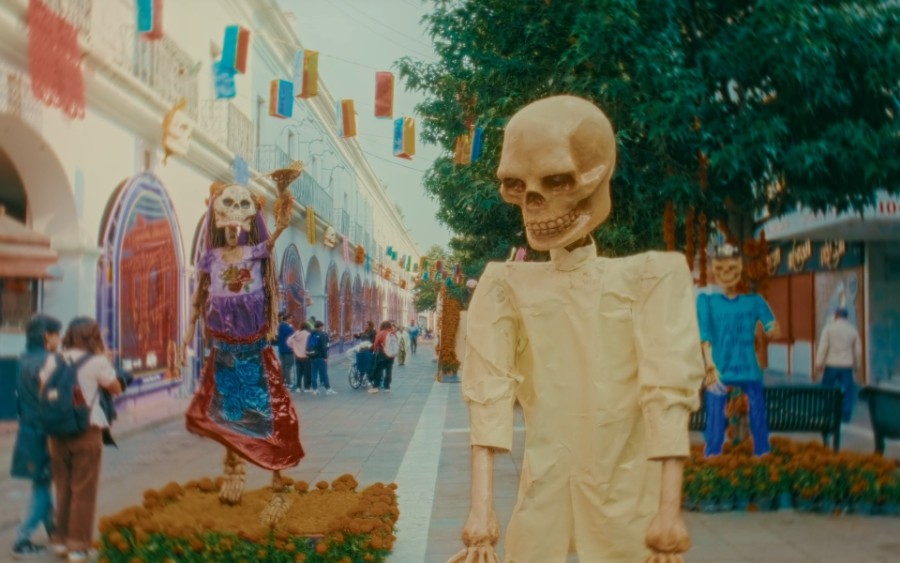
Festive Day-of-the-Dead street with towering…
8747386…30fps.mp4 MiniMax-M3
Aerial drone view of a single white car…
20073502…24fps.mp4 MiniMax-M3
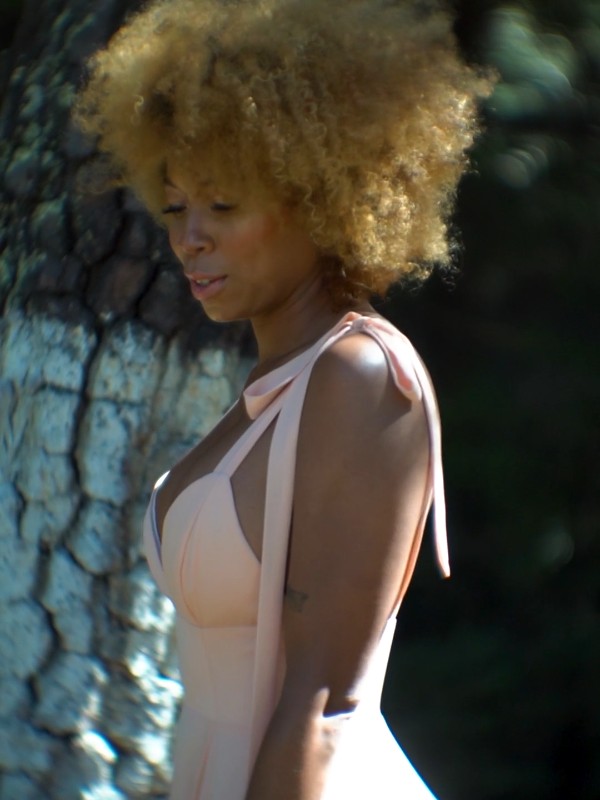
Backlit portrait of a woman with natural curls…
14764954_1920_1080.mov
Reveal in Finder
MiniMax (Anthropic-compatible) · MiniMax-M3 · standard · adaptive
Done
Frames sent to model (11)
00:00.000
00:01.000
00:02.000
00:03.000
00:04.000
Markdown JSON Source
14764954_1920_1080
Summary

A festive colonial pedestrian street lined with towering skeleton figures, papel picado banners, and marigolds — passers-by drift through the afternoon sun. Vivid, cultural, lightly macabre.

Establishing wide of a Day-of-the-Dead street celebration in warm afternoon light.
How it works

Three steps. Nothing leaves your Mac except the frames.

You bring your own AI key. Frames go straight to your provider — never through our servers.

01

Drop your footage

Drag one clip or a whole folder onto the window. videoscriber queues everything and shows you the exact frames it analyzes.

02

AI describes each clip

Representative frames go to Claude, GPT, or a local model. Back comes structured metadata: shot type, motion, people, setting, palette, mood.

03

Search by content

A .description.json sits next to every clip. Grep it, pipe it to an LLM, or hit it from Spotlight.

What it writes

Not a tag soup. A real schema.

Every clip gets the same structured object — JSON as the source of truth, Markdown for humans. Greppable, diff-able, and ready to feed straight into another LLM.

11 frames analyzed
14764954_1920_1080.mov
duration00:11.0
resolution1920×1080
codecH.264 · avc1
.description.json .description.md
"A festive colonial pedestrian street lined with towering skeleton figures, papel picado banners, and marigolds — passers-by drift through the afternoon sun. Vivid, cultural, lightly macabre."
shot type
medium
camera motion
static
people
14 · perceived
location
outdoor
time of day
afternoon
mood
festive, macabre
dominant palette
#E8D8A6
#9B4A3A
#F2F2F2
#6FA85B
#2A6B9C
search keywords
day of the dead skeleton figures papel picado marigolds mexican folk art cultural celebration
engine: minimax-m3 · 11 frames · adaptive sampling
Features

Built for working editors.

Not a subscription dashboard. A quiet utility that lives next to Premiere, Resolve, and FCP.

Structured sidecar files

A .json and .md next to each clip. No database, no import — just files you own.

Rich shot metadata

Shot type, camera motion, people, setting, color palette, mood, and suggested use cases — with controlled vocabularies for the core shot dimensions, all greppable and diff-able.

Batch the whole drive

Drop 500 clips and walk away. The queue runs with configurable concurrency and survives restarts — resuming right where it left off.

Bring your own key

Frames go from your Mac straight to your provider. We never see your footage, your key, or your bill — and neither does anyone else.

Native macOS

A real SwiftUI app — no Electron, no browser, no web server. AVFoundation for frame extraction. Ventura or newer, Apple Silicon.

Described, never identified

People are described by appearance, mood, and wardrobe — never named. Person attributes are framed as "perceived," with a confidence score on mood.

Spoken-word transcripts

Optional audio pass via Whisper, Deepgram, or fully on-device speech. The transcript lands on the sidecar and becomes part of what you search.

Cut-ready exports

Hand off straight to the timeline — FCPXML, EDL, and CSV markers for Premiere, Resolve, and Final Cut. Your descriptions become editable clips and markers.

Semantic search

Hybrid embedding + keyword ranking finds the shot by meaning, not just exact words — "warm golden-hour street" surfaces the right clip even when the words don't match.

Watch folders

Point it at an ingest folder and new clips are described automatically as they land — no dragging, no babysitting the queue.

Faces, on-screen text & location

Optional face detection (counts and boxes — detection only, never recognition), on-screen text OCR, and reverse-geocoded location from clip GPS metadata.

Built for hard-to-catalog footage

An unrestricted cataloging profile for archive, news, and adult-industry editors — pair it with a local model to describe footage hosted models refuse to touch.

Works with any vision model — your key, your bill
Claude GPT-4o / GPT-5 OpenRouter MiniMax M3 Moonshot · Kimi Ollama · local LM Studio · local any OpenAI-compatible
Privacy

Your footage never touches our servers.

There's no upload, no cloud account, no telemetry by default. videoscriber talks directly from your Mac to the provider you chose with the key you own. We physically can't see your clips — and that's the point.

Frames go straight to your provider
Your API key never leaves your Mac
Run a local model to keep frames offline entirely
No telemetry. No crash reporting. Nothing phones home.
Pricing

One price. Yours forever.

No subscription, no seats to manage. A single license unlocks everything.

$79 one-time
One license, bound to your email · use it on every Mac you own
Unlimited descriptions & batch jobs
Every provider, including local models
CLI + macOS app
Use it on every Mac you own — bound to your email
Bring your own AI key — no markup
Buy License — $79
Payments and Licensing via GumRoad

Stop scrubbing.
Start searching.

Turn your unsearchable drive into a library you can actually query — this afternoon.

Buy License — $79

Enterprise Grade  ·  macOS 13+  ·  Apple Silicon